
How to Fix App Bloat on Shopify (And Build a Leaner Store)
In the first part of this series, we looked at what App Bloat is, how it slows your store down, fragments your data, and quietly stacks up costs month after month. If you recognised your store in any of those signs, you are in the right place.
The good news is that fixing App Bloat does not mean starting from scratch. You do not need to tear down your entire marketing stack or lose the functionality you have built up. You just need to be more intentional about what stays, what goes, and what can be replaced with something better.
This guide walks you through exactly how to do that — step by step.

How to Audit Your Shopify App Stack
Most merchants have never done a full audit of their app stack. Apps get installed, forgotten, and left running in the background — costing money and adding weight to your store long after they stopped being useful. Here is how to do it properly.


Step 1: List every app you are paying for Go to your Shopify Admin → Apps and make a complete list of every app currently installed. Include the monthly cost of each one. Most merchants are surprised by the total — and by how many apps they had forgotten about entirely.
Step 2: Identify what you actually use For each app on your list, ask one question: when did I last actively log into this and make a decision based on what I saw? If the answer is more than 30 days ago — or if you cannot remember — that app is a candidate for removal.
Step 3: Check for overlapping features Look for apps that do similar things. You might have a loyalty app that also has a referral feature you never activated — because you installed a separate referral app. You might have two different tools collecting customer data in parallel. Overlap means you are paying twice for the same capability.
Step 4: Remove unused or redundant apps Uninstall anything that failed Step 2 or Step 3. Be decisive. Every app you remove is one fewer script loading on your storefront, one fewer monthly charge, and one fewer dashboard to check. If you are worried about losing data, export what you need before uninstalling.
Step 5: Consolidate where possible Look at what remains after your audit and ask: could two or three of these be replaced by a single platform that covers all of them? Consolidation is where the real gains happen — not just in cost savings, but in speed, data clarity, and time saved every week.
In short: A Shopify app audit is not a one-time exercise. Do it every quarter — and every time you consider installing something new, ask whether it solves a problem your existing stack cannot already handle.
How App Bloat is Hurting Your Store
App Bloat does not announce itself. It accumulates quietly — and by the time most merchants notice the damage, it has already been affecting their revenue for months. Here is what is actually happening behind the scenes.
Here is what a lean, high-performing Shopify app stack actually looks like:
Wide feature coverage per app Every app in your stack should do more than one thing well. An app that handles only email — and nothing else — is a single-purpose tool in a world where your store needs multi-purpose solutions. Look for apps that cover multiple stages of your customer journey, so each installation delivers proportionally more value.
Shared data across functions The tools in your stack should be able to see each other’s data — or better yet, share the same data layer entirely. When your loyalty data, referral data, and campaign data all live in the same place, your marketing decisions become dramatically more accurate. When they are siloed, every decision is a guess.
Minimal impact on page speed Before installing any app, check how it loads on your storefront. Does it inject JavaScript into every page? Does it add third-party scripts that fire on load? A lean app stack prioritises tools that are built natively for Shopify — loading only what is needed, only when it is needed.
Predictable, scalable pricing Avoid apps that charge a percentage of revenue or scale aggressively with order volume. As your store grows, these pricing models punish success. Look for flat monthly fees that give you cost predictability — so your margins improve as your revenue grows, not the other way around.
In short: A leaner app stack is not just about having fewer apps. It is about having better ones — tools that do more, cost less per function, and work together instead of against each other.
The Case for an All-in-One Platform
After completing an app audit, most merchants arrive at the same conclusion: the real problem was never any individual app. It was the architecture — a collection of single-purpose tools that were never designed to work together.
The logical response to that problem is consolidation. And the most effective form of consolidation is replacing multiple single-purpose apps with one platform that covers the same ground.

One data layer instead of five When your traffic tracking, referral data, loyalty points, and promotion performance all live inside the same platform, you stop making decisions based on fragments. You see the full picture — which customers came from referrals, how many converted through a loyalty incentive, and which promotions drove the highest order values — all from a single dashboard.
One monthly fee instead of many Instead of paying $49 here, $59 there, and $79 somewhere else, a single platform gives you one predictable number every month. As your store grows, that number stays fixed — your margins improve rather than being eroded by compounding subscription costs.
One codebase instead of a patchwork A single integrated platform loads one set of scripts, not five. Your storefront becomes lighter, your page load speeds improve, and the performance penalty of App Bloat disappears — because there is no longer a stack of third-party scripts competing to load on every page visit.
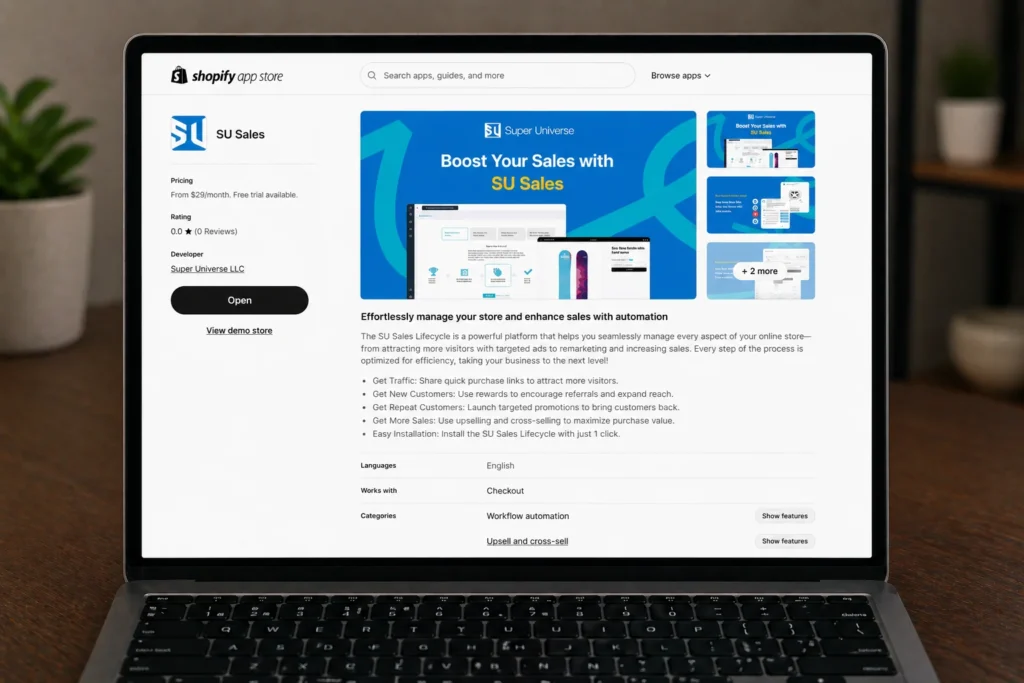
This is exactly what SU Sales was built to do. Four complete sales processes — traffic, referrals, loyalty, and promotions — in one platform, starting from $25/month. One install. One dashboard. One monthly fee. And none of the performance cost that comes with running them separately.
In short: The most effective way to fix App Bloat is not to manage it more carefully — it is to eliminate the architecture that causes it. An all-in-one platform does not just reduce the problem. It removes it entirely.
One App. Four Processes. Zero App Bloat.
You have done the audit. You know what App Bloat costs — in speed, in data, in money, and in time. The next step is making sure it never creeps back in.
The merchants who escape App Bloat for good are not the ones who manage their stack more carefully. They are the ones who changed the underlying architecture — replacing a collection of disconnected tools with one platform that was built to handle everything from day one.
SU Sales gives you all four processes of a complete Sales Ecosystem in one app — starting from $25/month. One dashboard. One monthly fee. Zero App Bloat.
One App. Four Processes. Zero App Bloat.
Replace your entire app stack with one platform — and eliminate App Bloat for good.